Docs
Product Updates
Search
⌘
K
👋
Welcome to Zip
🐣
Onboarding
⚒️
Setting up the Zip Console
⚙️
Configuring the Zip Console
☑️
Onboarding Checklist
🔏
Managing your Security Strategy
🎢
Zip Console Functionality
🚋
Migrations
🏢
Managing your Fleet: Users, Devices & Accounts
🪟
Managing your Windows Environment
Provisioning a Microsoft Entra Account for Windows Device Enrollment
Managing Microsoft Licenses
Excluding Mac users from Intune Licensing
Enroll Windows in Device Management
Disconnect from Windows Management
Removing Google Device Management on Windows Computers with GCPW
Understanding Windows Updates
Purchasing a Windows Pro license key
Upgrading from Windows 11 Home to Windows 11 Pro
Setting up Autopilot for Windows via Intune
Creating a Windows re-installation drive
Resetting a Windows computer
Removing Local Administrator Access Across Your Fleet
🪄
Managing Controls in the Zip Console
🚨
CrowdStrike Alerts
🛎️
Managed Detection and Reponse Services
🍎
Setting Up Apple Business Manager
❓
FAQs & Troubleshooting
🖥️
Troubleshooting the Zip Console
🚨
Troubleshooting CrowdStrike
🔃
Troubleshooting Devices Not Checking In
Troubleshooting Jamf Enrollment
Troubleshooting Windows World
Troubleshooting Google Workspace
🙋
FAQs
Responding to Windows CrowdStrike Outage - July 2024
Zip Console AI Features
Welcome to Zip
/
Managing your Security Strategy
/
Managing your Windows Environment
Resetting a Windows computer
If Windows has gotten in to a problematic state, it is possible to reset the computer.
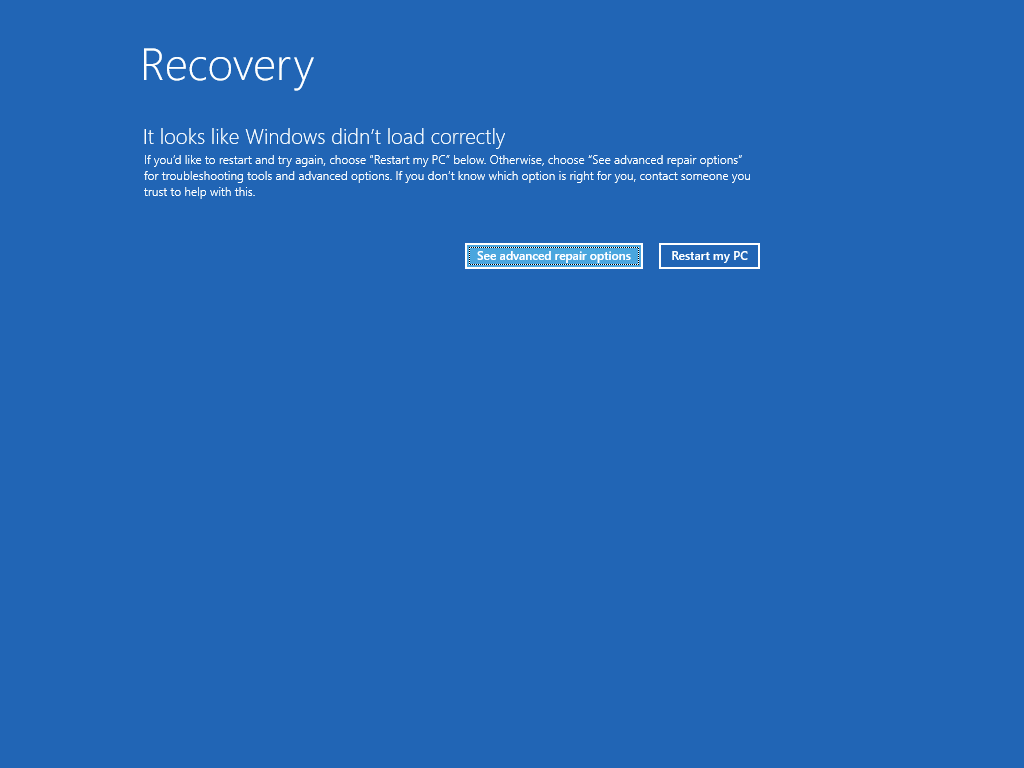
After 2 failed boots or blue screen restarts, Windows will give this prompt on the third boot.
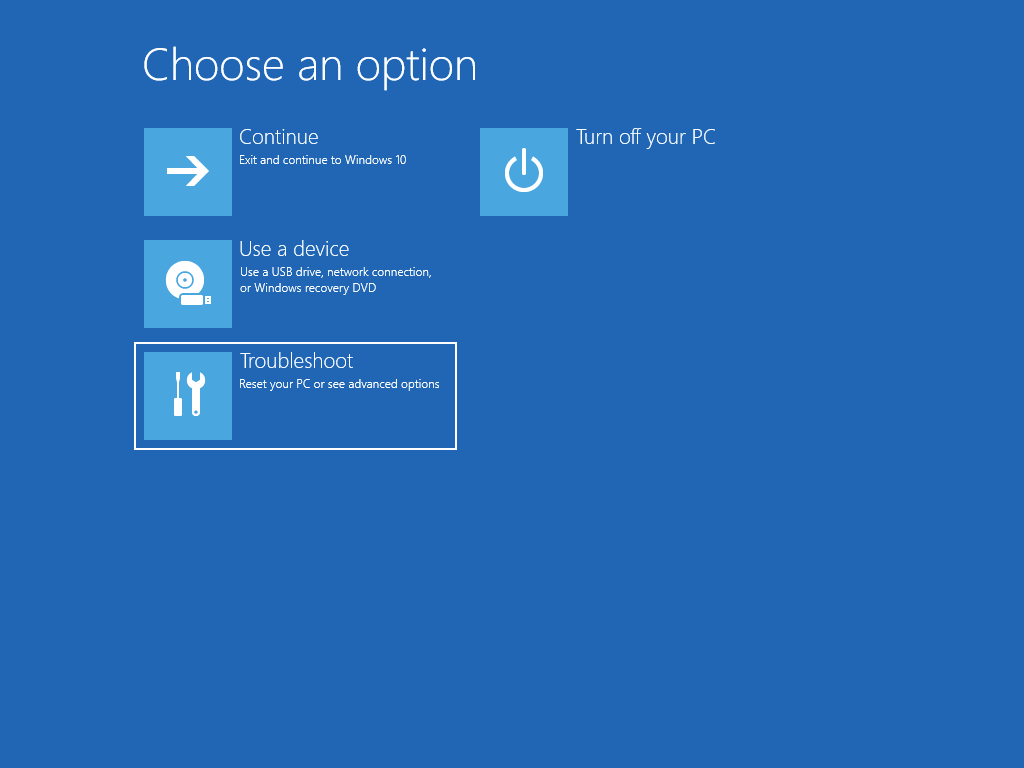
Selecting Troubleshoot will allow you to reset your computer
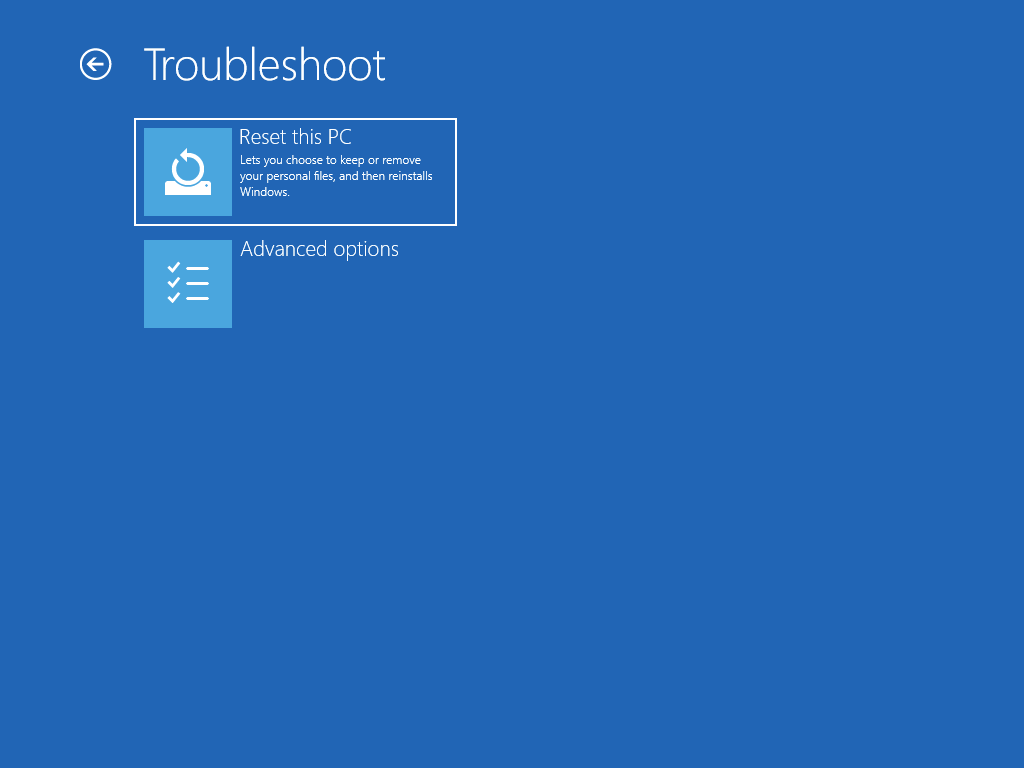
Select Reset this PC
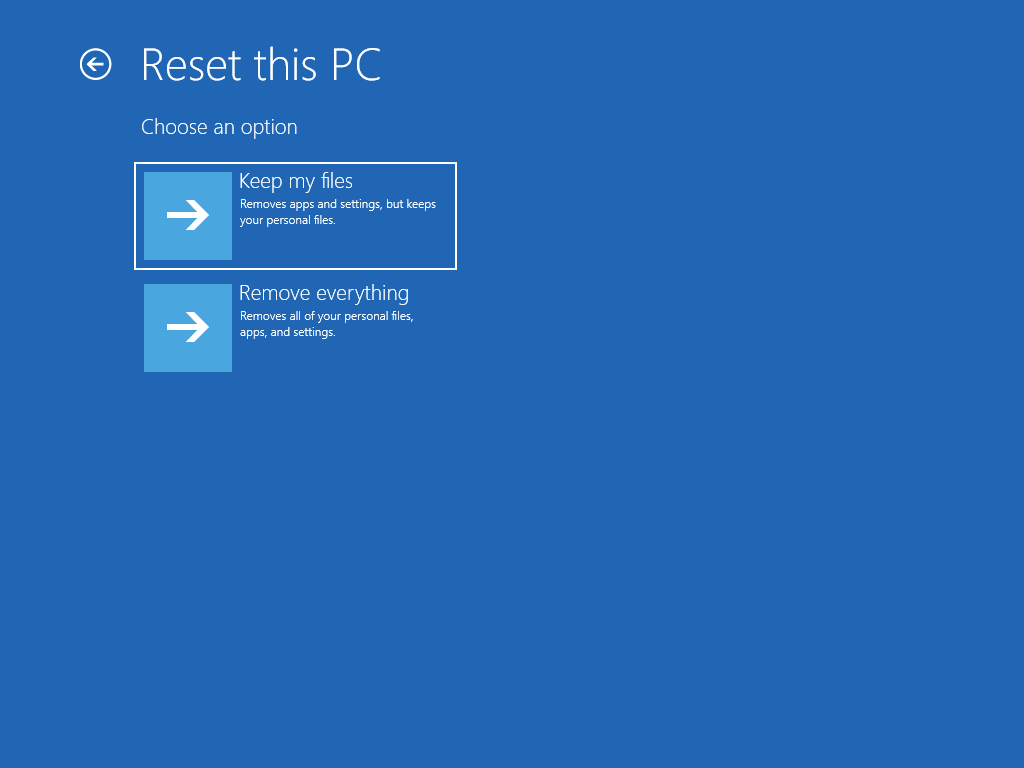
We want to keep your personal files and data
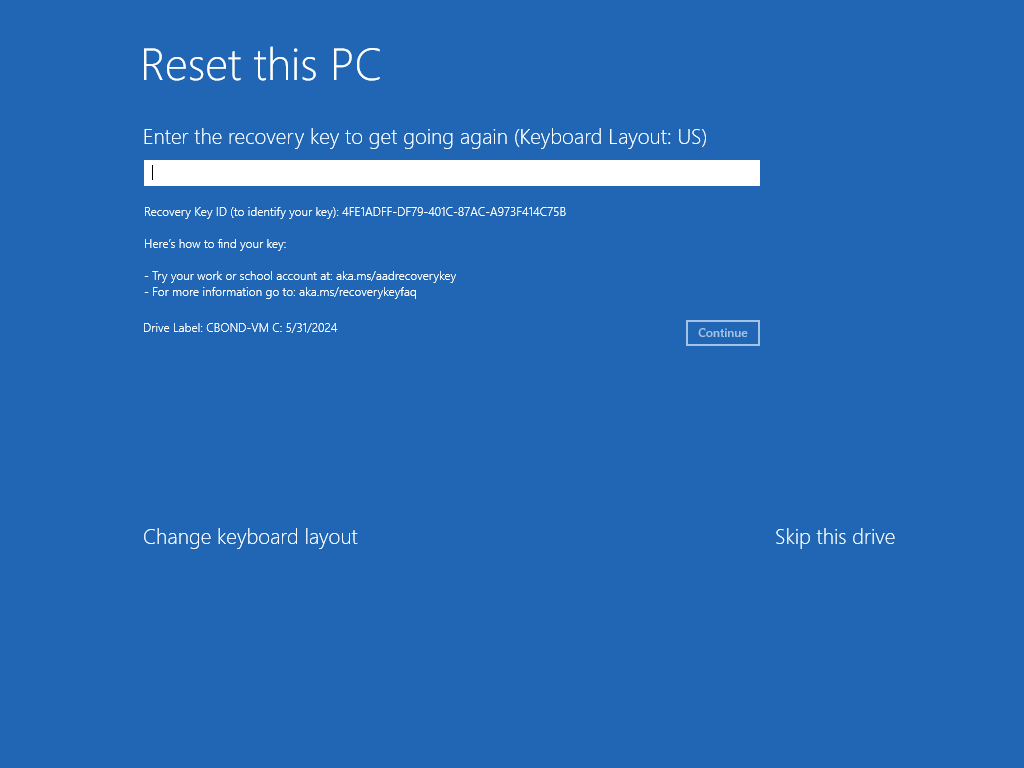
Enter the 48 digit Bitlocker Recovery Key. Note the Recovery Key ID, as that names the specific recovery key you need.
💡
https://support.microsoft.com/en-us/windows/finding-your-bitlocker-recovery-key-in-windows-6b71ad27-0b89-ea08-f143-056f5ab347d6
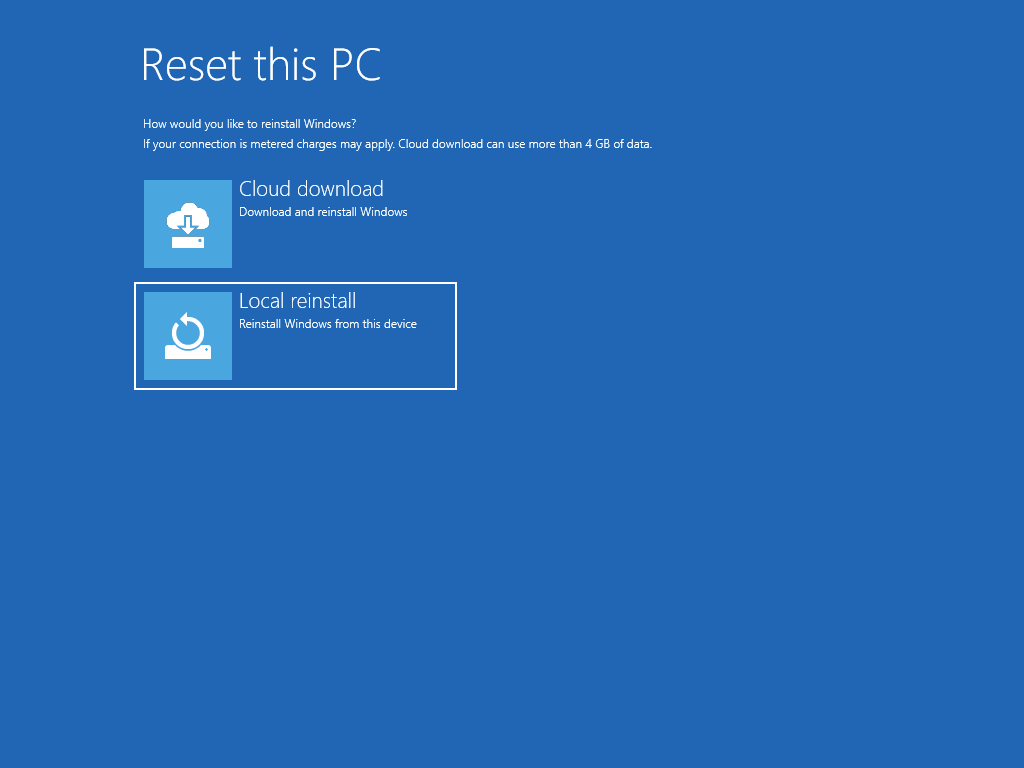
We can reinstall Windows using the existing files on the computer. If this method fails, then downloading a fresh set of files from the cloud may be necessary.
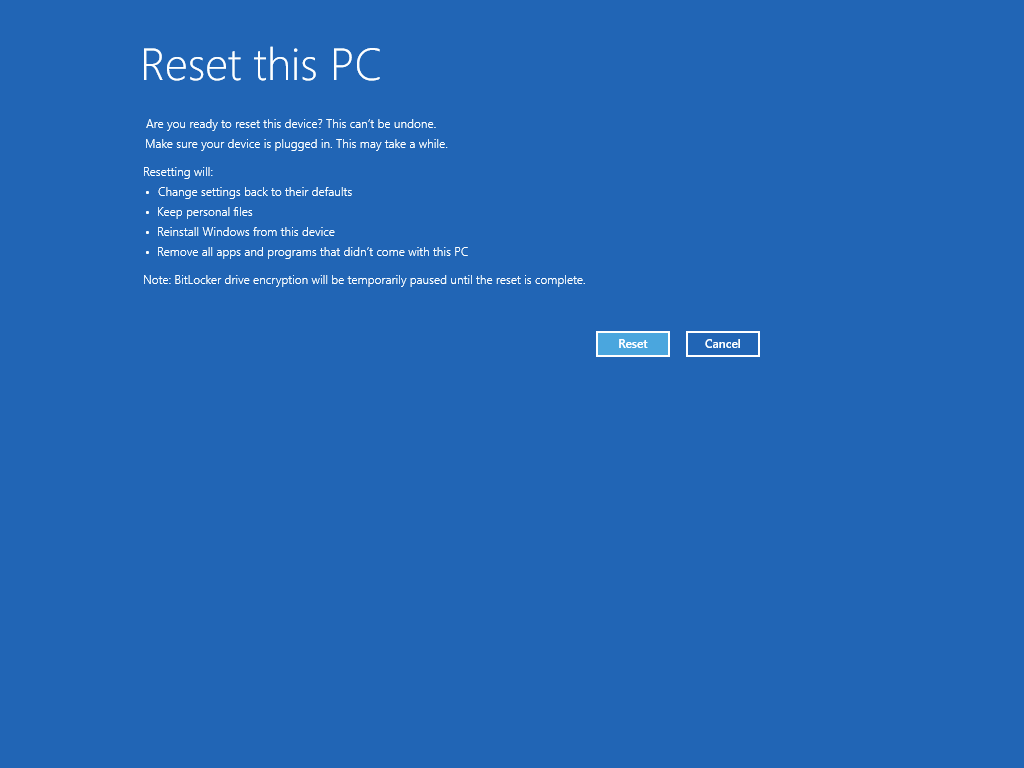
Select Reset to begin the reinstallation process
Creating a Windows re-installation drive
Removing Local Administrator Access Across Your Fleet
Powered by
Notaku
Helpful?
Share