
There are multiple ways to purchase a genuine Microsoft Windows 11 Pro key, and this list will cover just a few examples.
Purchase directly from Microsoft
A full Windows 11 Pro license can be purchased from Microsoft for $199, available either as an immediately available serial code or with all of the installation files preloaded on to a bootable USB drive (For use if you need to perform a from-scratch installation; additional shipping charges apply for the physical USB drive).
This option is mostly used by IT Admins purchasing a license on behalf of someone else who will actually use the purchased key.
Purchase from a trusted reseller
Reputable resellers are able to provide an upgrade-only license key usable to upgrade an existing Windows 10 Home license (which was paid for as part of your original hardware purchase). Because this is applied to an existing Windows Home license, the cost is slightly cheaper. For example, CDW sells this license upgrade for $140.
This option is only used by IT Admins purchasing a license on behalf of someone else who will actually use the purchased key.
Zip Security can also act as your indirect reseller to purchase these licenses at a discount
Via the Microsoft Store App directly on the device to be upgraded
Open the Microsoft Store App and search for Windows 11 Pro. The first result should be the official Microsoft link with circling arrows as the icon

This page will take in to account any applicable discounts for your current license. Proceeding through all of the prompts will purchase and complete the installation of the new license key.
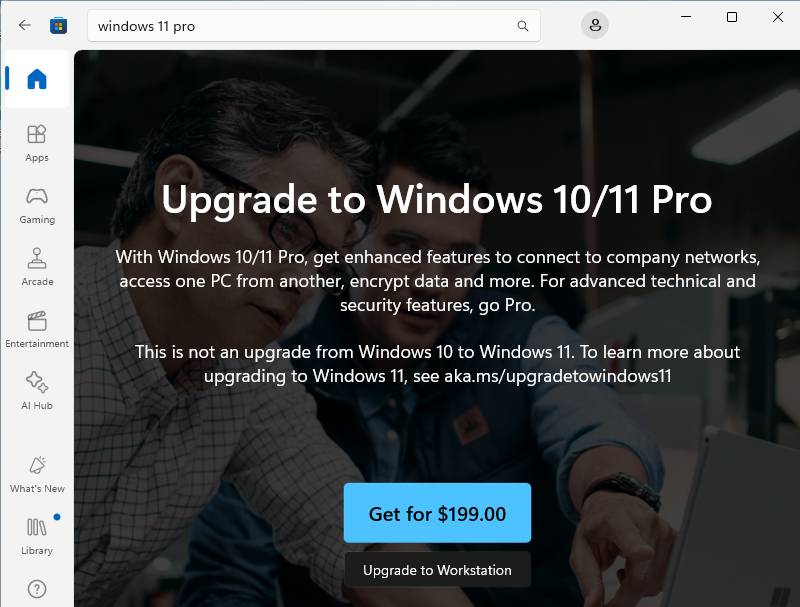
This option is used directly by the user of the computer needing to be upgraded.
Purchasing via the Microsoft Store App will require signing in with a personal Microsoft account. Microsoft does not allow “Work or School Accounts” to make purchases from the Microsoft Store App.