
Intune is Microsoft’s Mobile Device Management (MDM) platform for Windows workstations.
MacOS users are managed via the Jamf platform, and so do not need to have an Intune license assigned to them.
In order to exclude MacOS users’s Microsoft Entra accounts from the Intune Licensed Users group, we want to edit their account record to include a value that we can use to filter them out.
The simplest way to achieve this is to update the “Department” field in the “Job Information” section to include “mac user”
To make this change, locate the user account in Microsoft Entra
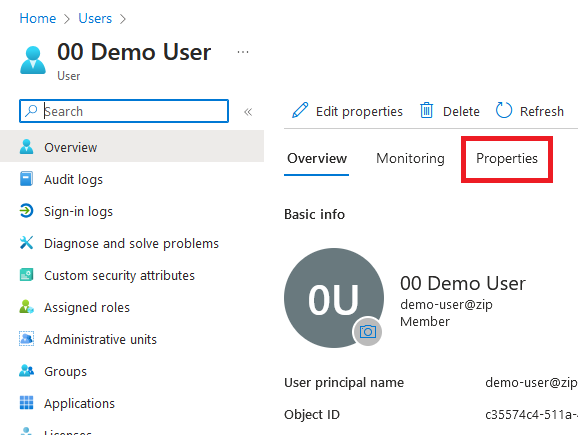
Click on the user account to see the Overview, then click in to the Properties tab
Click the blue pencil icon next to Job Information to edit, and in the Department field type
mac user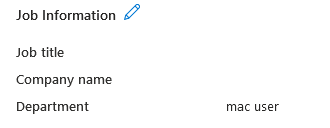
Click the blue Save button at the bottom of the screen & this user should now be excluded from the Intune licensed users group, reserving those licenses for the Windows users who need them.