
When to wipe or lock a device
If any device is lost or stolen it is important to secure the device as quickly as possible to prevent any malicious attempts to gain access to the device. It’s also important when offboarding terminated employees that devices are wiped to ensure that no data is lost and the next person to use the device starts with a clean slate.
- If a device is temporarily lost, and there is a chance of recovery, we recommend you Lock the device. This enables you to reverse the action and ‘recover’ the device once it has been returned to its user. If needed, you can wipe a locked device whenever you want to.
- If a device is permanently lost, stolen, not in use by the intended user, or you wish to repurpose it for a new user, it can be Wiped. Note, this is a permanent action, so be sure there is no chance you’ll want to reverse this.
How to wipe or lock a device
- Navigate to the “Devices” tab: https://zipsecinc.cc/devices
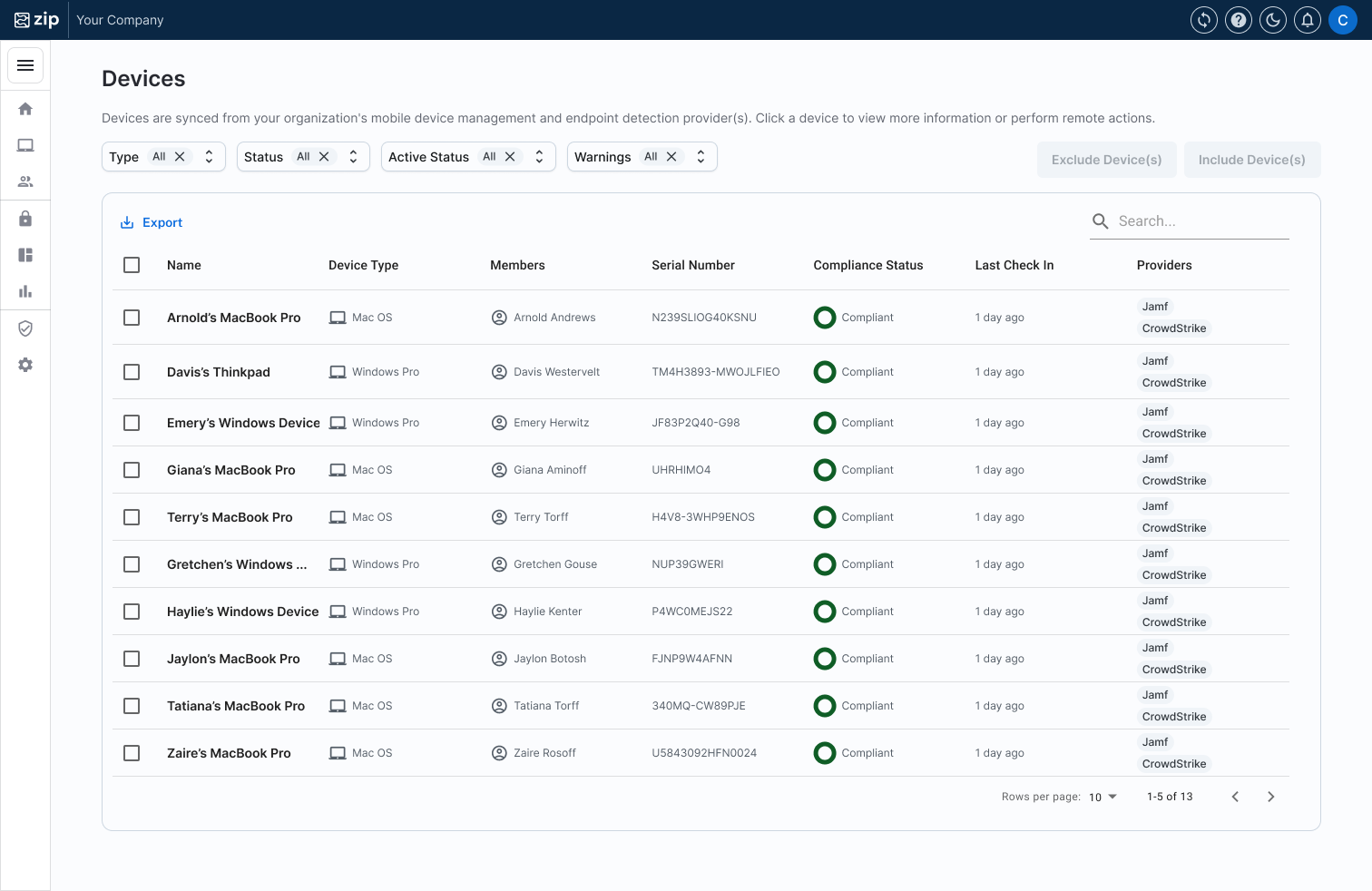
- Click the device you would like to wipe or lock to go to the device page
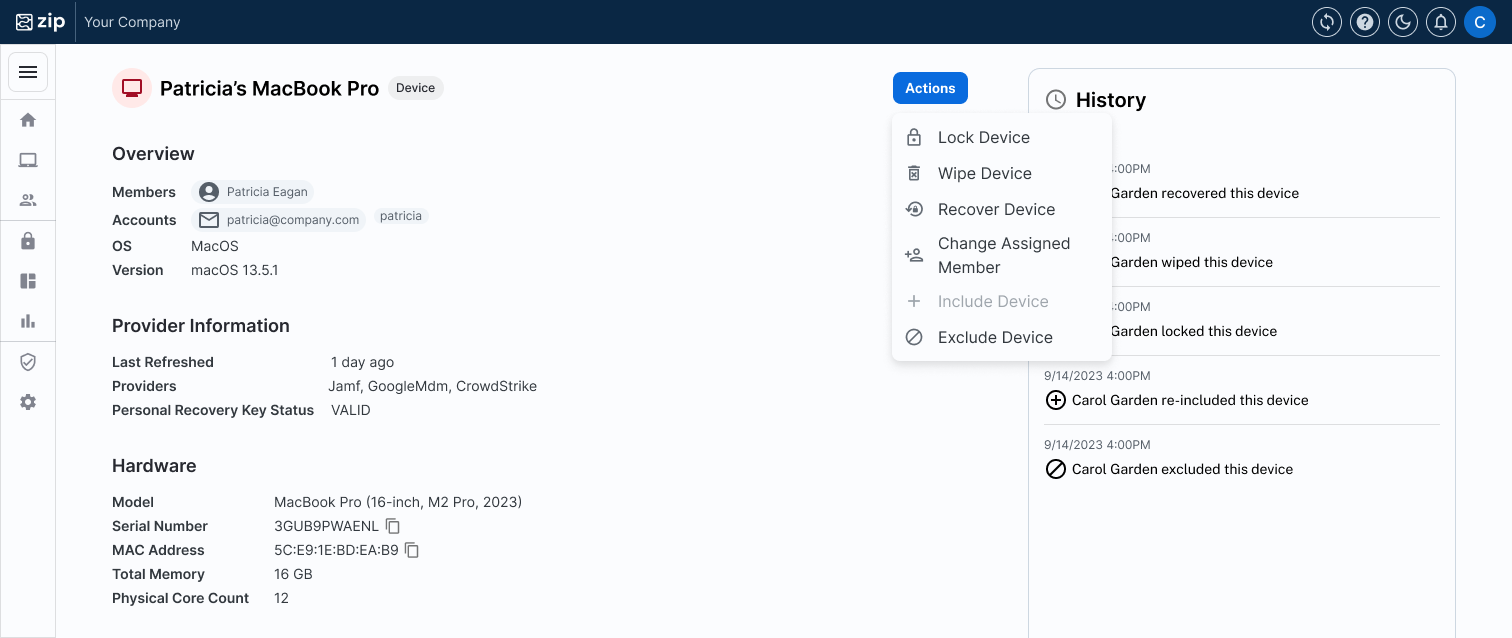
- Click the "Actions" button and select the action you’d like to execute: either “Lock Device” or “Wipe Device”
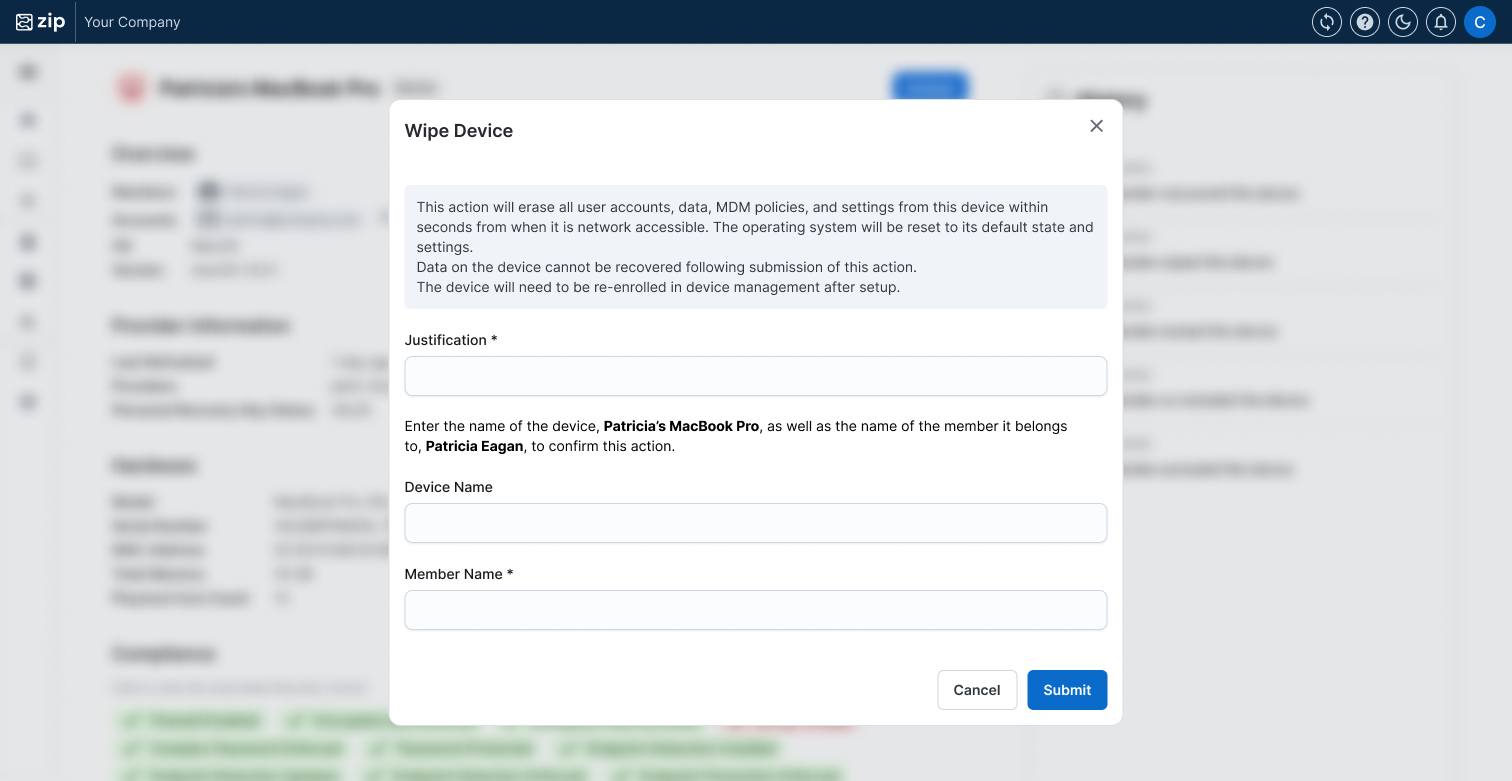
- Fill out the form to make sure you are taking action on the correct device, and press “Submit”
- For Justification - you are prompted to input a short justification for your action so this can be historically documented.
- You’re done!
If you see a success popup and a new entry in the device history panel, that means the command was successfully sent to the MDM. It may take a few minutes to see the action take effect on the device.
FAQs
Can I lock or wipe any device?
The lock action is only supported by Jamf and is not available for Intune (Windows) devices. If you need to secure or repurpose a Windows device, you can reset the local account password by following the instructions here or directly wipe it.
In order for devices to be locked or wiped, it is also essential that
- The device is enrolled in MDM and is MDM managed. This should have happened during your implementation, and is why getting your fleet to 100% enrolled is so important.
- For Windows devices, the device is not using Windows Home. Follow the instructions here to upgrade from Windows Home to Windows Pro.
I got an error when trying to wipe a device. What do I do?
If you see an error when wiping a device that looks like:
json"ajax API error: failed request: JamfAjaxResponse { command: Some(EraseDevice), response_status: Some(404), response_message: Some(\"Device not found or activation lock bypass is invalid.\"), requested_uri: Some(\"computers.ajax\"), error: Some(\"Bad Request\"), user_based_code: None, session_expires_epoch: Some(1210), status: None }"
That means the device has Activation Lock enabled and prevented the wipe command from succeeding. The only way around this is to contact the device user to ask them to remove activation lock. They can do this even if they are no longer in possession of the device by following Apple’s instructions “Remove Activation Lock on the web if a device is offline”.
You can learn more about our Activation Lock control here to prevent these issues from happening in the future.
How can I recover a locked device?
If a user is locked out of their device, you can recover access by following the instructions here.
Questions? Here’s how to reach us:
- Email: info@zipsecinc.cc