
Google Workspace users who are enrolled in Google’s Advanced Protection Program may not be able to accept their invitation to log into the Zip Console. If this happens, a Google Workspace account administrator can whitelist Zip Security. This is accomplished with the following steps (also documented by Google).
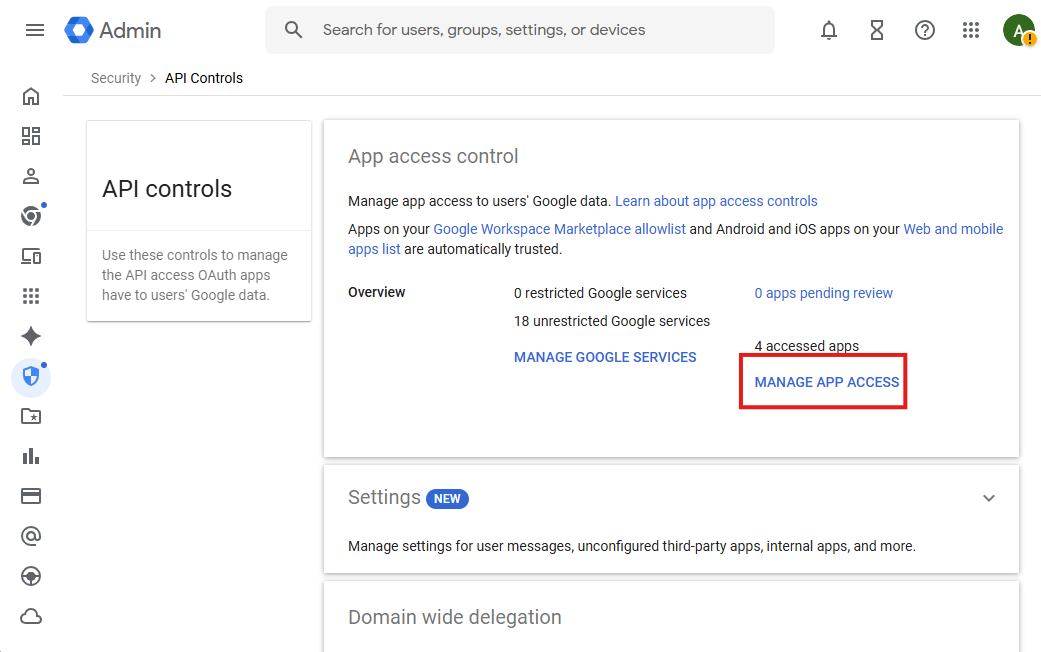
- Click the following link to go to Security > Access and data control > API Controls > Manage App Access using your admin account.
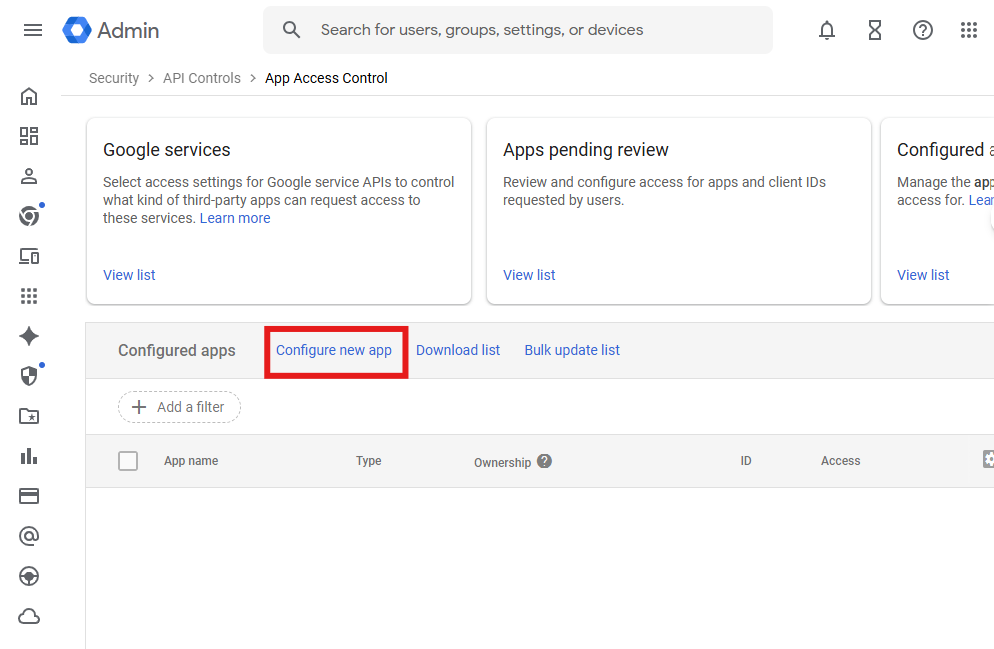
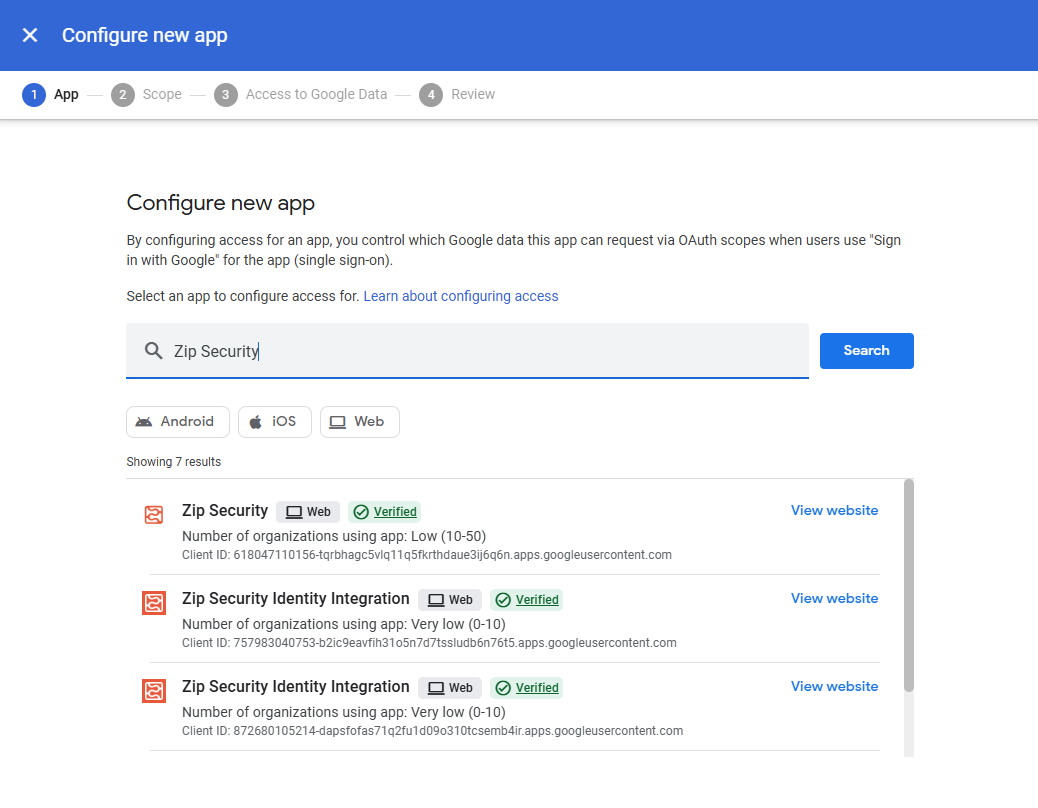
- Click the Configure New App link at the top of the table, search for Zip Security, and select the “Zip Security” app.
- Under the Scope section, configure any groups for to whom you want to grant access.
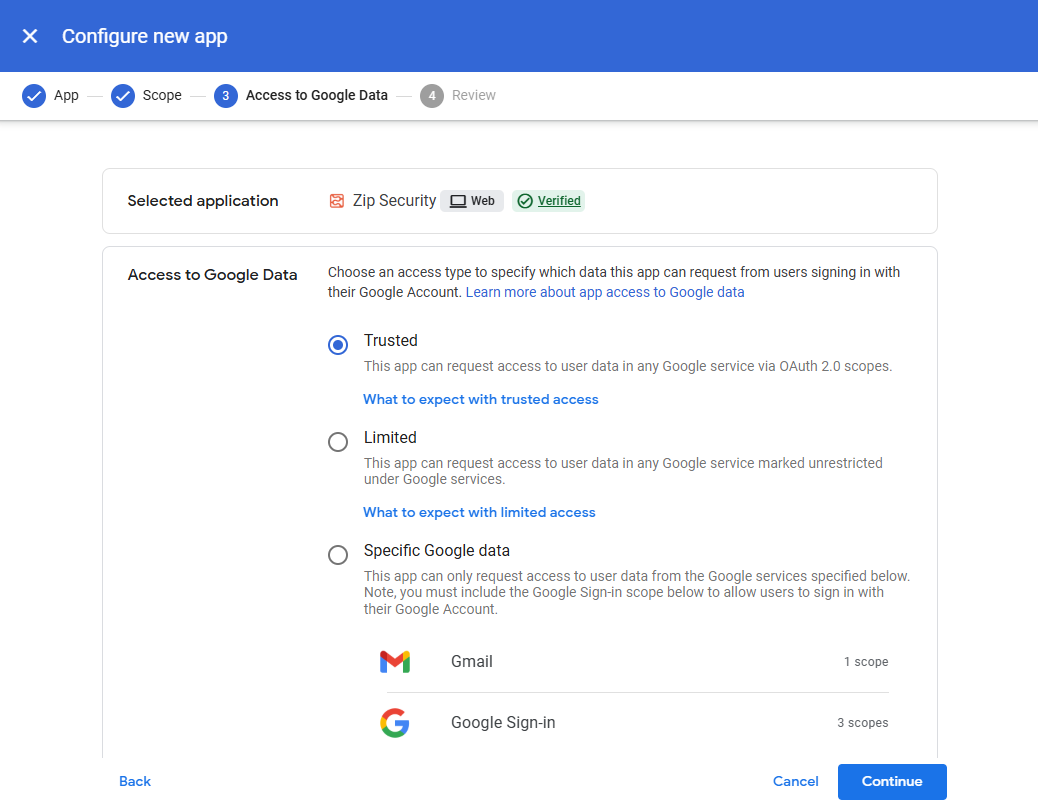
- Select the Trusted option and then click the Continue button. Review the details and then select Finish.
With these steps complete, you will be able to log in to Zip from a desktop computer.