Depending on the IdP that your organization has elected, the below instruction guides provide a step-by-step of what you need to do:
 Setting Up a Zip Security & AzureAD Integration
 Setting up a Zip Security & Google Workspace Identity Integration
  Setting Up a Zip Security & Okta Integration
FAQs
What can Zip Do/See When my IdP Is Integrated with the Zip Console?
The Zip Console only requests a subset of permissions to your Google workspace (the full list is here, under the "Workspace Identity" section). In non-technical terms, the things we request are:
- Access to see (read-only) the accounts in your google workspace (this looks like a list of human.capital emails). We also grant access to see security attributes of users, like whether or not they have two-factor enabled, and if they've granted permission to third-party applications.
- Access to see (read-only) the kinds of devices that users are authenticating from (Macs, Windows, etc.) - we use this to identity devices that may not be logged in.
- Access to see (read-only) audit supports of security events -- this allows us to warn you if something nefarious is happening, like a user logging in to google admin and disabling two factor for themselves (usually a bad sign you could be being breached!).
Below are some screenshots of what these look like in our console:
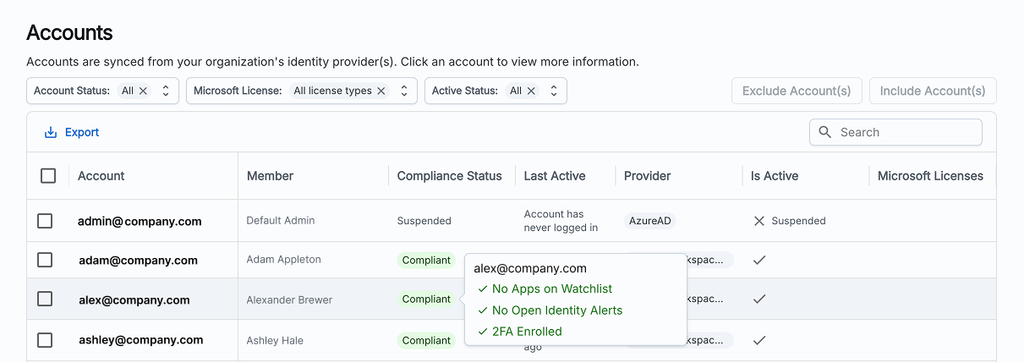
(Above) Zip’s accounts dashboard - which shows basic account information, 2FA status, and sessions.
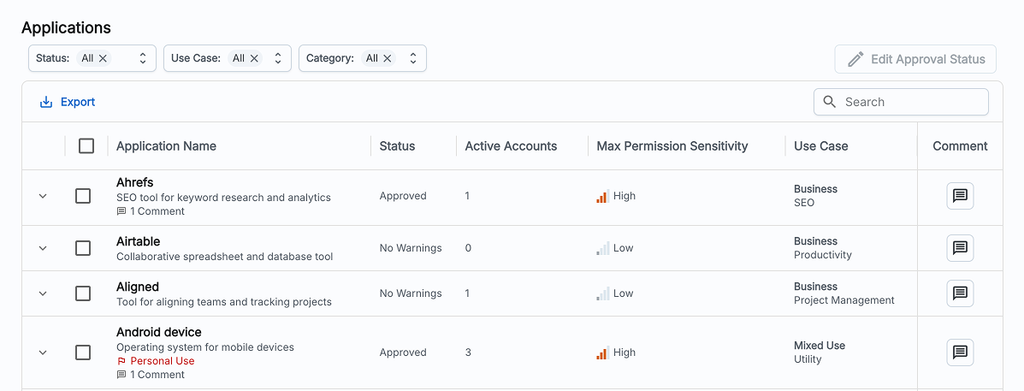
(Above) Third-party applications -- here we can see SaaS apps or personal apps that users have granted some permissions through their corporate accounts.
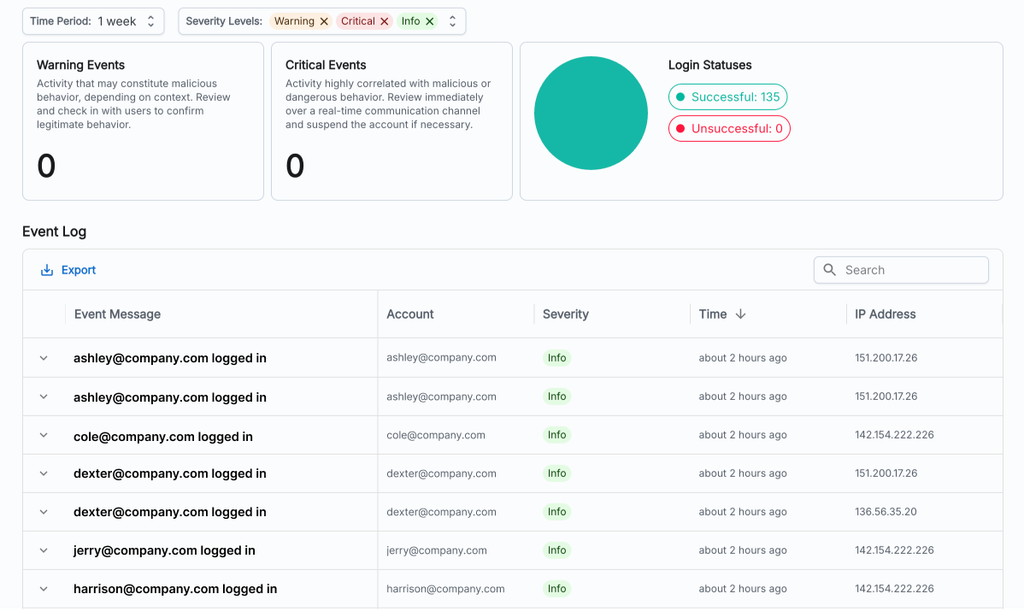
(Above) Our identity threat report, where you can see informational events or filter for warning or critical events
Questions? Here’s how to reach us:
- Email: info@zipsecinc.cc