
Context
Auto-enforcement of a control means that upon device enrollment, the device is also by default enrolled in the policy. This helps to streamline devices staying compliant across multiple controls, and it also helps from a management perspective by reducing the manual action required to get users to be compliant with controls.
Below we outline how you can turn on auto-enforcement for specific controls.
Instructions to turn on Auto-Enforcement
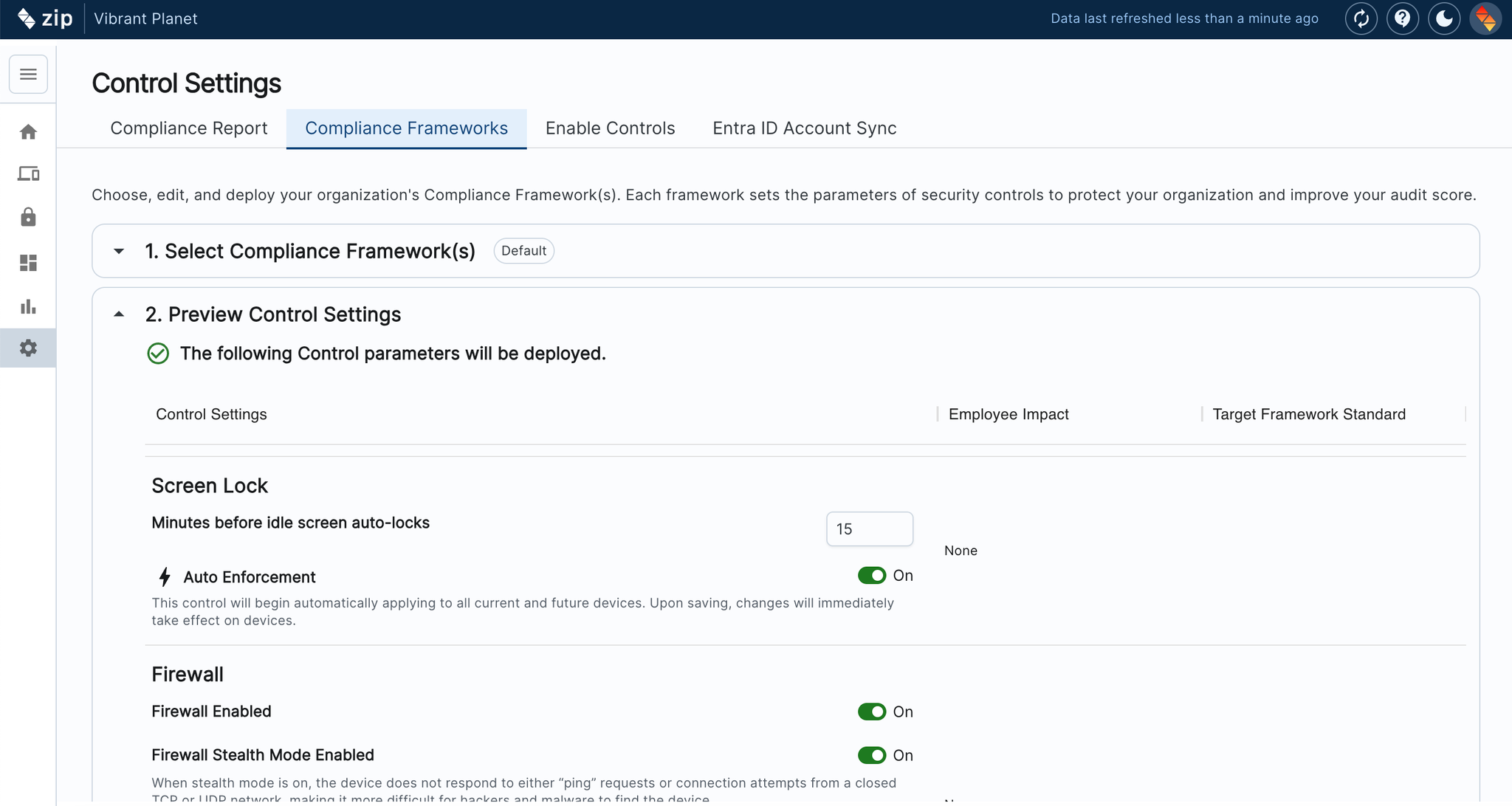
- In the sidebar navigate to Settings —> Control Settings
- In the top left hand corner hit ‘Edit’
- Navigate to the tab ‘Compliance Frameworks”
- Scroll to section2 ‘Preview Control settings’
- Under each control, toggle ‘On’ for auto-enforcement
Instructions to Disable Controls
If there are controls that you would not like to roll out to your organization, you can opt to disable them, so they are not reported on in your home page. Please follow the instructions below:
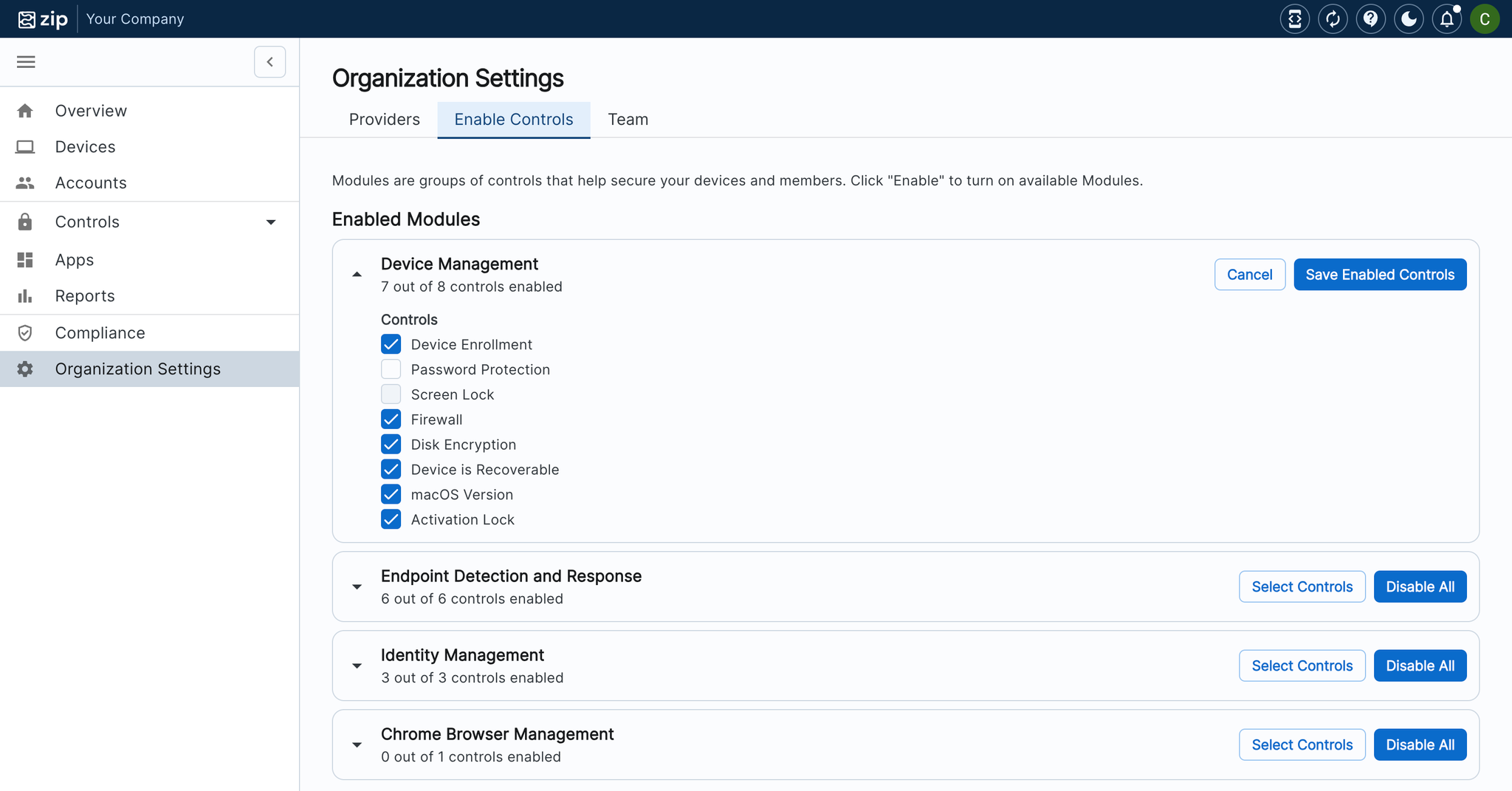
- In the sidebar navigate to Organization Settings page —> Control Settings
- Click “Enable Controls”
- Uncheck the control(s) you wish to disable
- Click “Save Enabled Controls”
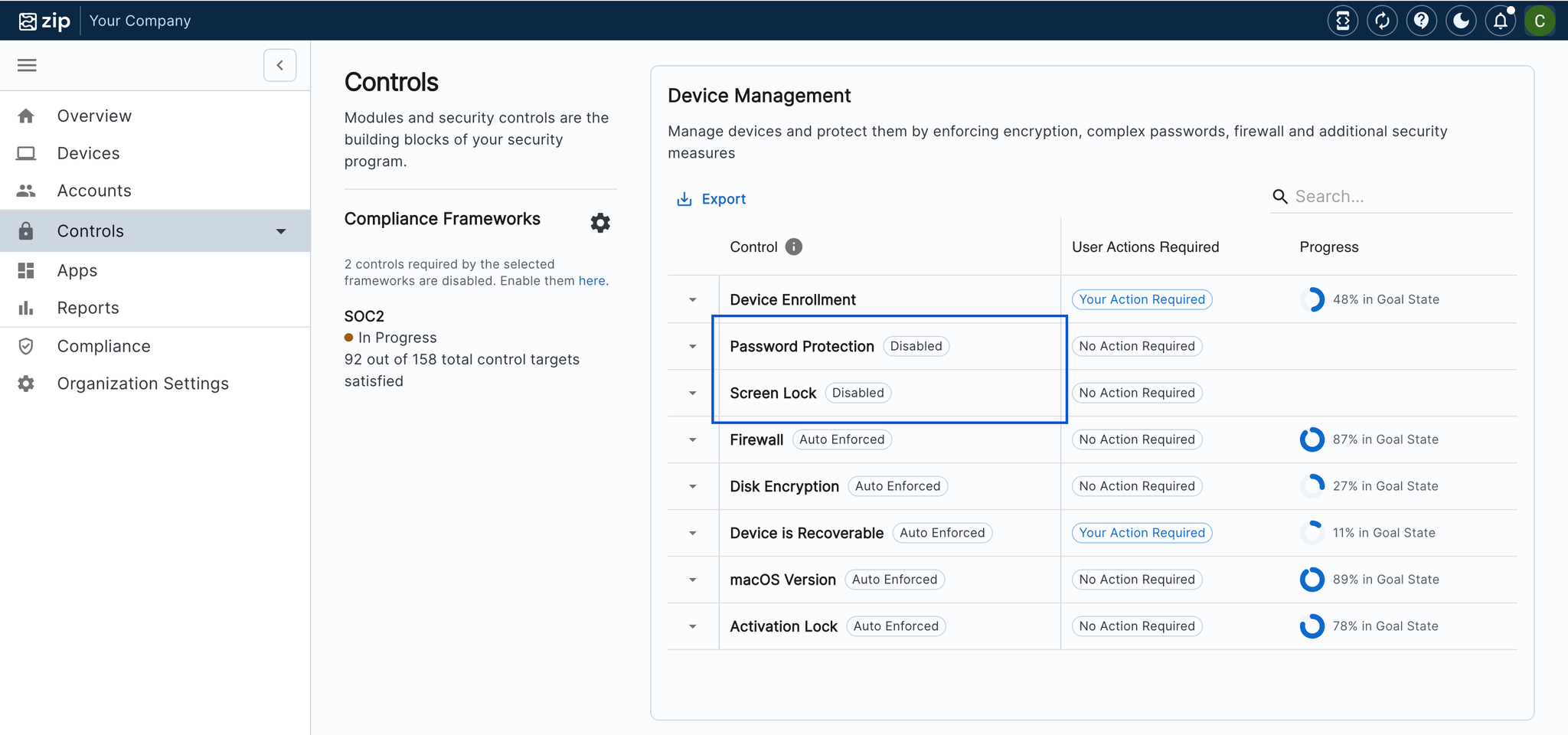
Controls will still show in the control tab, but will have a flag indicating that the control is disabled:
FAQs
What does turning on auto-enforcement mean?
- Auto-enforcement of a control means that upon device enrollment, the device is also by default enrolled in the policy. This helps to streamline devices staying compliant across multiple controls, and it also helps from a management perspective by reducing the manual action required to get users to be compliant with controls.
Why do some controls have auto-enforcement options and some don’t?
- Auto-enforcement is only available for controls that can be implemented without material user impact. For controls that require user intervention or action, such as the password policy control, we intentionally avoid auto-enforcement to give you control over the rollout process and prevent unintended disruptions. For example, a password policy change would require users to update their passwords, so we provide flexibility to manage the timing and communication of such changes, ensuring a smoother implementation.